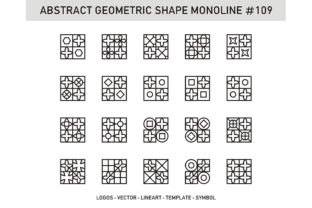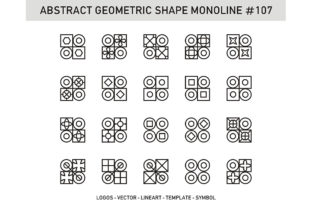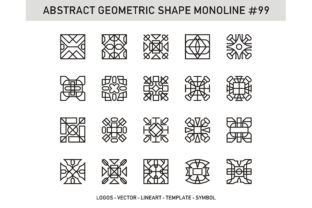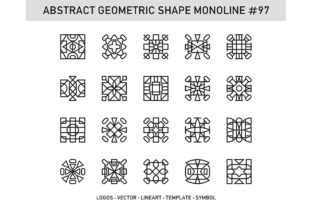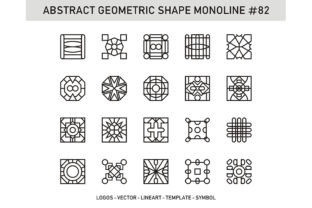
Abstract Geometric Shape Monoline 82
If you're designing a modern logo, crafting clean social media assets, building a minimalist presentation, or developing a cohesive brand identity, Abstract Geometric Shape Monoline 82 is one of those quietly powerful assets that earns its place in your toolkit. It’s not flashy—but it’s precise, scalable, and intentionally restrained: a single-weight (monoline) geometric form built from balanced curves and sharp angles, designed for clarity at any size. Unlike ornate illustrations or hand-drawn motifs, this shape prioritizes function without sacrificing visual interest—making it ideal for tech startups, wellness brands, creative studios, educators building course visuals, or freelancers streamlining their design workflow.
What People Often Overlook Before Downloading
Many users treat vector downloads like plug-and-play elements—especially when they see “EPS” and “JPG” listed side by side. But Abstract Geometric Shape Monoline 82 behaves very differently in each format—and assuming they’re interchangeable leads to real-world hiccups.
For example, a marketer might grab the JPG version to drop into an Instagram Story, only to discover pixelation when scaling beyond 1080px width. Or a small business owner might import the EPS file into Canva—unaware that Canva doesn’t support native EPS editing—and waste time trying to recolor or resize something that won’t respond as expected.
These aren’t user errors—they’re format mismatches. And they cost time, consistency, and sometimes money (e.g., rehiring a designer to fix a blurry print asset).
Why Format Choice Matters More Than You Think
- EPS files are true vector assets—infinitely scalable, fully editable in Adobe Illustrator, Affinity Designer, or CorelDRAW. You can change stroke weight, adjust anchor points, recolor with precision, or combine it cleanly with other vectors. This is the version you need if you’re preparing for print, creating responsive web icons, or building a scalable brand system.
- JPG files are raster images—fixed resolution, no transparency by default, and uneditable as shapes. They work fine for quick mockups, email headers, or blog post illustrations where resolution stays consistent and edits are minimal. But they’re not suitable for logos, signage, or anything requiring flexibility.
A better approach? Start with the EPS. Keep the JPG on hand only for fast, low-stakes uses—like placeholder visuals in pitch decks or internal brainstorming docs. If your software doesn’t handle EPS, convert it once (using Illustrator’s “Export As > SVG” or Inkscape’s free export) rather than relying on a static JPG for long-term use.
Common Missteps in Application and Styling
Even with the right file, how you apply Abstract Geometric Shape Monoline 82 affects perception. One frequent oversight is ignoring context contrast. Because it’s monoline—meaning uniform stroke weight—it relies heavily on background relationship. Placing it on a busy photo, textured gradient, or low-contrast color can make it visually disappear, especially at smaller sizes.
Another subtle but impactful mistake: stretching or skewing the shape to “fit” a layout. Geometric integrity matters. Distorting Abstract Geometric Shape Monoline 82 breaks its balance, weakens its professional tone, and undermines the intentional symmetry that gives it quiet authority. If space is tight, scale down—or pair it with negative space—not warp it.
Realistic example: A yoga instructor used this shape as a watermark on class videos but applied it over moving footage with shifting light. Without sufficient contrast or a subtle drop shadow, it flickered in and out of visibility. The fix? A solid 15% opacity white overlay behind the shape—no distortion, no resizing—just strategic grounding.
What to Check Before You Commit
Before downloading or integrating Abstract Geometric Shape Monoline 82, ask yourself three practical questions:
- What’s my primary use case? If it’s for a logo, app icon, or merch, EPS is non-negotiable. If it’s for a one-off social graphic you’ll never reuse, JPG may suffice—but verify resolution first (ideally 3000px+ wide for versatility).
- Which tools will I edit it in? Illustrator, Figma (with SVG conversion), or Affinity users get full control. Canva, PowerPoint, or Google Slides users should plan ahead—convert to SVG or PNG with transparency before importing.
- Does it align with my existing visual language? Compare stroke weight against your current icons or typography. Monoline works best alongside clean sans-serifs (like Inter, Poppins, or Helvetica Neue) and ample whitespace—not dense serif body text or heavy decorative elements.
Getting the Most From Its Simplicity
The strength of Abstract Geometric Shape Monoline 82 lies in what it doesn’t do: it doesn’t compete, doesn’t distract, doesn’t date quickly. That restraint becomes an advantage—if you honor its design logic.
Try pairing it thoughtfully: use it as a subtle divider in a newsletter, a consistent bullet alternative in slide decks, or a unifying motif across website sections (e.g., repeated as a hover effect on navigation items). Because it’s geometric and neutral, it adapts well to color shifts—try it in deep indigo for trust, warm terracotta for approachability, or charcoal gray for sophistication.
Just avoid overcomplicating it. No drop shadows unless absolutely necessary for legibility. No gradients on the stroke—monoline aesthetics rely on flat, confident lines. And skip adding extra strokes or outlines; they dilute its purpose.
A Final Practical Note on Licensing & Reuse
While Abstract Geometric Shape Monoline 82 is often offered under standard commercial licenses, always verify usage rights—especially if you’re embedding it into templates you sell, SaaS dashboards, or client deliverables. Some licenses restrict redistribution or require attribution. When in doubt, choose sources that provide clear, plain-language license summaries—not just legal jargon.
Also worth noting: this isn’t a font or icon set. It’s a singular, intentional shape. Don’t expect dozens of variants. Its value is in its specificity—not variety. If you need flexibility across many forms, look for a coordinated family. But if you need one strong, adaptable, timeless geometric anchor? Abstract Geometric Shape Monoline 82 delivers—cleanly, consistently, and without compromise.