Child Details
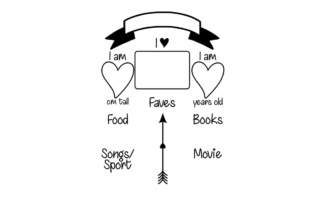
Child Details is a clean, versatile design resource intended for creators who need precise, ready-to-use visual elements—especially when personalization, clarity, or age-appropriate presentation matters. Whether you're designing custom baby shower invitations, educational flashcards for early learners, pediatric clinic signage, or personalized keepsake items, this file set delivers consistent, scalable assets without requiring advanced design skills.
Why people choose Child Details—and what they often overlook
Many users download Child Details because it promises simplicity: one SVG, one DXF, one PDF, and one JPG—four formats covering most common use cases. That’s genuinely helpful. But too often, buyers assume “one of each” means “ready for everything.” In reality, format readiness depends entirely on how and where you plan to use the files—not just that they exist.
For example, an educator might download Child Details intending to print laminated name tags for preschoolers—only to discover the JPG lacks transparency and prints with a white background that clashes with their colored cardstock. Or a small business owner ordering custom vinyl decals might open the DXF in their cutting software, only to find stroke widths too thin for clean weeding, resulting in fragile lettering that peels during application.
1. Assuming all formats behave the same way across tools
SVG and DXF may look identical on screen, but they serve different workflows. SVG is ideal for web use, digital presentations, or Cricut Design Space (with some layer adjustments). DXF works best in laser cutters, CNC machines, or Silhouette Studio—but only if paths are closed, strokes are converted to outlines, and units match your machine’s settings. PDFs preserve layout and fonts for printing, but aren’t editable without vector software. JPGs are for quick previews or social media—never for scaling or cutting.
Better approach: Before downloading, ask yourself: “What’s my first step?” If it’s cutting vinyl, open the DXF in your machine’s native software first—and check for stray anchor points or compound paths. If it’s adding text to a printable PDF, verify the font is embedded or replaceable. Don’t wait until production starts.
2. Skipping the “context check” for age appropriateness
“Child Details” sounds broad—and it is. But not every visual treatment suits every age group. A playful, rounded sans-serif works well for toddlers learning letters, while older children (ages 6–10) often respond better to slightly more structured, legible forms—especially in educational materials. Some users apply Child Details to classroom posters without adjusting spacing or contrast, making text harder to read from across the room.
Better approach: Test readability at real-world distances. Print a sample at actual size and hold it 3 feet away—if details blur or letters merge, increase line weight or add subtle padding. For digital use, preview on tablets or classroom smartboards, not just desktop monitors.
3. Overlooking licensing scope—and assuming “personal use” covers client work
The description says “Use this design for your own physical or digital projects.” That wording matters. “Your own” typically means non-commercial, self-directed use—like decorating your child’s nursery or creating a birthday banner for family. It does not extend to client deliverables (e.g., designing a daycare’s welcome sign for pay), merchandise resale, or templates sold on marketplaces—even if you modify the files.
Better approach: Review the license terms before starting any project with external stakeholders. If you’re a freelancer building branded materials for a school or pediatric practice, confirm whether commercial use is permitted—or consider investing in a commercial license if available. When in doubt, reach out to the creator directly. Most reputable designers clarify usage rights quickly.
What to verify before downloading—or after you’ve already got the files
- File integrity: Open each format separately. Does the SVG render cleanly in browsers? Does the DXF import without missing layers in your cutting software? Does the PDF display correctly in Adobe Acrobat (not just Preview or Edge)?
- Scalability: Zoom the SVG or PDF to 400%. Are edges crisp? Do fine details (like dotted borders or tiny icons) remain legible—or do they vanish or pixelate?
- Color mode: The JPG and PDF likely use RGB for screen use. If you’re printing professionally, check whether CMYK versions are available—or be prepared to convert carefully (some hues shift noticeably).
- Font handling: If text is outlined in the vector files, great—you won’t need the original font. If not, ensure the listed font is free for commercial use (if applicable) or substitute a freely licensed alternative like Quicksand or Nunito, both designed for clarity and warmth.
A realistic note about expectations
Child Details isn’t meant to replace custom illustration or full branding systems—it’s a thoughtful starting point. Think of it like high-quality craft paper: reliable, well-cut, and consistent, but still needing your input to become something meaningful. You’ll get the best results when you treat it as a tool—not a finished solution.
That means adjusting sizing for your medium (a 12-inch decal needs bolder lines than a 2-inch sticker), simplifying layers before importing into beginner-friendly apps, and testing color combinations against real backgrounds—not just the white default of your design canvas.
One final tip: Save a version of each file with your modifications clearly labeled (e.g., “Child_Details_SVG_2xStroke” or “Child_Details_PDF_BW_Print”). It takes 30 seconds now—and saves hours later when you’re juggling multiple projects or revisiting files months down the line.
When used intentionally, Child Details supports clarity, consistency, and care—whether you’re a parent labeling lunchboxes, a teacher preparing inclusive classroom resources, or a small studio crafting heartfelt gifts. The difference isn’t in the files themselves. It’s in how thoughtfully you meet them where they are—and guide them where you need them to go.