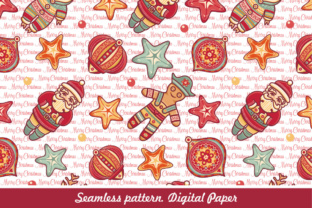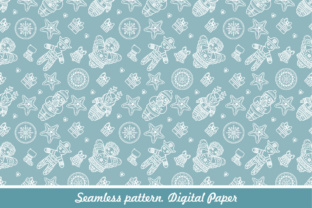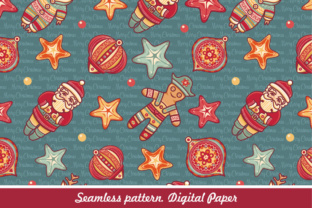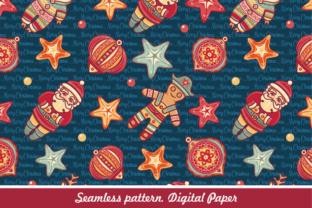
Seamless Christmas Pattern. Digital Paper
A Seamless Christmas Pattern. Digital Paper is a digitally designed, tileable graphic resource intended for holiday-themed creative projects. Unlike static holiday images or isolated clipart, it’s built to repeat infinitely in any direction—horizontally and vertically—without visible seams or breaks. This makes it especially useful for backgrounds, wrapping paper mockups, fabric previews, web design elements, and printable stationery. It’s delivered as a digital download, not a physical product, and typically includes multiple file formats to support different editing needs and output requirements.
What Makes Seamless Christmas Pattern. Digital Paper Distinct?
The defining trait of a Seamless Christmas Pattern. Digital Paper is its technical construction: each tile edge aligns precisely with its opposite, allowing smooth tiling at any scale. This isn’t just visual continuity—it’s mathematical precision. Designers achieve this through deliberate placement of motifs (like holly sprigs, snowflakes, ornaments, or minimalist Nordic stars), careful masking, and pixel- or vector-level alignment checks. Because it’s digital paper—not scanned texture or photograph—it retains scalability and editability without quality loss when used appropriately.
Unlike holiday-themed stock photos or single-element vectors, this pattern format serves a specific functional role: consistent surface coverage. It bridges the gap between illustration and utility. You wouldn’t use a photo of a wrapped gift box to fill an entire A4 sheet seamlessly—but you can use a well-built Seamless Christmas Pattern. Digital Paper for exactly that purpose, whether for print or screen.
File Formats Matter: EPS vs. JPG Explained
The inclusion of both EPS and JPG files reflects two complementary workflows—and distinct decision points for users.
- EPS (Encapsulated PostScript) is a vector-based format. It preserves paths, anchor points, and editable layers—ideal if you plan to adjust colors, resize without pixelation, or isolate individual elements (e.g., recoloring all ribbons from red to gold). Adobe Illustrator, Affinity Designer, and CorelDRAW support full editing. However, EPS requires vector-aware software and some familiarity with path manipulation.
- JPG is a raster format—high-resolution, flattened, and universally compatible. It’s ready to drop into Canva, PowerPoint, Photoshop, or even Word. You can adjust brightness, contrast, or apply filters, but you cannot change individual motif colors or extract objects without manual masking. Its strength lies in immediacy and broad accessibility—not flexibility.
Choosing between them depends less on “which is better” and more on your tools, timeline, and intended use. If you’re designing custom gift tags in Illustrator and want to match brand colors precisely, EPS gives you control. If you’re quickly assembling a holiday newsletter in Google Docs, the high-res JPG may be more practical—even if it locks in the original palette.
How It Compares With Other Holiday Design Resources
A Seamless Christmas Pattern. Digital Paper occupies a middle ground among common holiday assets:
- Stock photos offer realism and atmosphere but don’t tile. They work for hero banners or social posts—not for repeating backgrounds or printable paper.
- Single SVG or PNG icons (e.g., a standalone snowflake) require manual arrangement and spacing to simulate repetition. That process is time-consuming and rarely achieves true seamlessness without advanced alignment techniques.
- Pre-printed physical paper limits customization—you can’t alter color schemes or scale motifs to fit unusual dimensions. It also incurs shipping time and cost.
- AI-generated patterns may tile visually but often lack clean vector paths or consistent stroke weights. They can introduce subtle misalignments or unintended overlaps that become obvious when scaled or printed.
In contrast, a professionally made Seamless Christmas Pattern. Digital Paper balances reliability, fidelity, and adaptability. It’s pre-tested for tiling integrity, optimized for both screen and print resolution, and structured for real-world production constraints—not just aesthetic appeal.
Strengths and Practical Tradeoffs
Strengths:
- Consistency across applications: Whether applied to a 4×6” card or a 24×36” poster, the pattern maintains uniform density and rhythm.
- Time efficiency: Eliminates hours of manual tiling, cloning, and edge correction—especially valuable during tight holiday deadlines.
- Color and scale flexibility (in EPS): Adjust hue, saturation, or lightness globally—or reposition motifs subtly to emphasize certain elements.
- No licensing ambiguity: Most reputable digital paper downloads include commercial-use rights, clarifying permissions for small-business owners creating branded merchandise or marketing materials.
Tradeoffs and Limitations:
- Not inherently responsive: A fixed-pattern tile won’t automatically adapt to irregular shapes or curved surfaces without additional design work.
- Less narrative than illustrated scenes: It conveys mood and theme through repetition—not storytelling. A pattern of candy canes evokes festivity; it doesn’t tell a story about Santa’s workshop.
- Editing barrier with EPS: Users unfamiliar with vector software may find the EPS file intimidating or underutilized—even though it’s included.
- Resolution ceiling with JPG: While labeled “high-res,” a JPG has a fixed pixel dimension. Enlarging beyond its native size risks blurriness—unlike scalable vector alternatives.
When Is Seamless Christmas Pattern. Digital Paper the Right Choice?
This resource fits best when your goal is repetitive, scalable, and cohesive visual coverage—not one-off decoration. Examples include:
- Designing custom wrapping paper for a small-batch artisan business
- Building branded email templates with seasonal backgrounds
- Creating consistent slide decks for December team presentations
- Mocking up holiday-themed packaging or labels in Adobe Dimension or Figma
- Preparing printable calendars, planners, or greeting cards where background texture supports readability
If your project involves frequent resizing, color adaptation, or integration into larger vector-based layouts, the EPS version adds measurable value. If speed and compatibility outweigh customization needs—and you’re working within raster-based tools—the JPG delivers reliable results without overhead.
When Another Option May Be Better
A Seamless Christmas Pattern. Digital Paper isn’t ideal for every scenario. Consider alternatives if:
- You need photorealistic depth or lighting effects (e.g., glossy ornaments casting soft shadows)—a high-end layered PSD or mockup template would provide more control over texture and light.
- Your layout requires asymmetry or focal-point emphasis—a centered wreath with fading edges may suit better than a repeating grid.
- You’re building interactive web elements where CSS-based patterns (using
background-imagewith SVG data URIs) offer lighter file sizes and dynamic responsiveness. - You’re sourcing assets for embroidery digitizing or laser cutting—those workflows rely on stitch files or DXF/SVG with precise cut paths, not decorative tiling.
Also, if your workflow relies heavily on mobile apps (e.g., Procreate or Canva mobile), verify compatibility: while JPG works universally, EPS files usually require desktop software for meaningful editing.
Making an Informed Decision
Evaluating a Seamless Christmas Pattern. Digital Paper comes down to matching format capabilities with your actual tools, timeline, and output goals. Ask yourself:
- Do I need to change colors—or is the provided palette acceptable?
- Will this be used primarily in print, digital, or both?
- What software do I use regularly—and which file types does it handle natively?
- How much time can I invest in editing versus placing and using?
- Does the pattern’s motif density and scale suit my intended application? (A tight snowflake grid reads differently on fabric than on a large wall banner.)
There’s no universal “best” choice—only the option most aligned with your context. A well-made Seamless Christmas Pattern. Digital Paper offers thoughtful balance: professional-grade construction, practical file options, and clear use boundaries. When those boundaries match your needs, it becomes less of a decorative add-on and more of a foundational design asset.