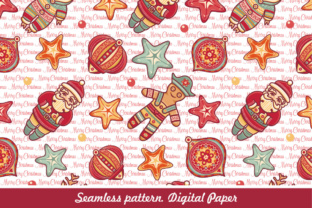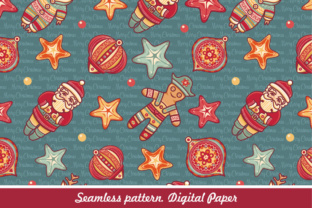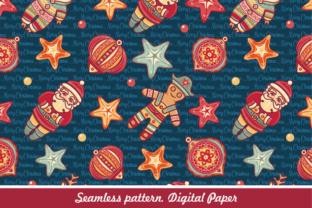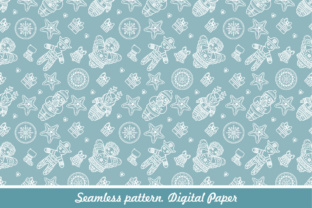
Winter Holiday Seamless Pattern Digital Paper
A Winter Holiday seamless pattern digital paper is a ready-to-use, repeatable design asset built for practical application—not just decoration. It’s not a static image or a one-off background; it’s a functional layer in your creative or production workflow. Whether you’re designing holiday packaging, preparing a seasonal newsletter, building a printable planner, or producing social media assets for December campaigns, this type of digital paper delivers consistency, speed, and control—without sacrificing quality.
What It Is—and What It’s Designed to Do
This digital paper comes as two core file types: EPS and high-resolution JPG. The EPS version is vector-based, meaning it scales infinitely without pixelation and supports full color editing in Adobe Illustrator, Affinity Designer, or CorelDRAW. You can isolate individual elements, adjust hue, saturation, and brightness per motif, or recolor entire sections with global swatches. The JPG version is raster-based but delivered at 300 DPI and sized for print-ready use—ideal for quick insertion into Canva, Photoshop, InDesign, or PowerPoint when vector flexibility isn’t required.
“Seamless” means the pattern tiles perfectly—no visible edges or misaligned repeats—so it works across any surface: a full-page document background, a product label wrap, a website section, or even a physical print run on fabric or wrapping paper. It’s built for reuse, not one-time viewing.
Where It Fits in Your Workflow
Most users integrate Winter Holiday seamless pattern digital paper at three distinct points: preparation, execution, and refinement.
Before the Project: Streamlining Setup
Start by auditing your upcoming winter-related deliverables. Are you launching a holiday email series? Preparing branded stationery for client gifting? Designing a teacher’s classroom resource pack? Having this pattern preloaded in your asset library cuts setup time significantly. Instead of searching for free patterns (with unclear licensing), manually tiling a PNG, or commissioning custom work, you open the EPS, assign brand-aligned colors, and export a version that matches your visual system—before writing a single line of copy or placing a single layout element.
For educators or small business owners, this step often happens during seasonal planning—typically mid-October to early November. That timing ensures alignment with production deadlines, vendor lead times, and internal review cycles.
During the Project: Supporting Consistency and Speed
Once active work begins, the pattern functions as a structural anchor. In InDesign, apply it as a swatch for master page backgrounds—ensuring every handout, worksheet, or presentation slide shares the same tactile, seasonal feel. In Illustrator, use it as a clipping mask base for custom illustrations or text treatments. In Canva, upload the JPG as a background template, then layer editable text boxes and icons on top—no need to worry about alignment or tiling gaps.
Because both files support non-destructive edits, you can test variations without duplicating effort. Try warm golds for luxury branding, cool silvers for tech or wellness clients, or muted sage greens for eco-conscious messaging—all from the same source file.
After the Project: Enabling Repurposing and Archiving
Post-launch, keep the original EPS in an organized asset folder labeled by season and use case (e.g., /Assets/Winter/Patterns/Print-Ready). That makes future adaptation fast: next year, swap out snowflakes for pinecones by editing the motif layer (if layered), or reduce opacity for subtle watermark-style use in digital presentations. Because it’s vector-based, it remains viable for new formats—like SVG exports for web backgrounds or PDF embeds for interactive documents.
Compatibility and Integration Notes
This digital paper works where design tools meet real-world constraints. It’s compatible with industry-standard software (Adobe Creative Cloud, Affinity Suite, CorelDRAW) and widely supported in cloud-based editors (Canva, Visme, Figma via import). For Figma users: convert the EPS to SVG first, or place the JPG at 100% scale and use it as a fill layer—just remember to lock the layer to prevent accidental resizing.
When pairing with typography, test contrast early. A busy pattern like a dense snowflake-and-icicle repeat benefits from clean, bold sans-serif fonts (e.g., Montserrat Bold, Inter SemiBold) set at minimum 14 pt for body text. For headings over the pattern, use white or near-white text with a subtle drop shadow—or overlay a low-opacity white rectangle behind text blocks to ensure readability.
Practical Implementation Tips
- Test tile boundaries first. Before scaling or recoloring, zoom to 400% and check where the pattern repeats. Look for stray pixels, mismatched lines, or inconsistent spacing between motifs. A true seamless pattern shows zero seams—even at extreme zoom.
- Edit colors in context. Don’t rely solely on the EPS preview. Place your edited version into a mockup of your final output (e.g., a business card template or Instagram post frame) and assess how it interacts with adjacent elements like logos, photos, or CTAs.
- Organize variants deliberately. Save edited versions with clear naming: WinterPattern_Gold_300DPI.jpg, WinterPattern_Sage_Vector.eps. Avoid generic names like “final_v2” or “pattern_edit.”
- Use JPGs for speed, EPS for precision. If you only need a background for a single Canva social post, the JPG is faster. If you’re building a multi-page product catalog with strict CMYK requirements, start with the EPS and export a press-ready PDF/X-4.
- Check licensing scope. Confirm whether your license permits commercial use, resale of derivative products (e.g., printed planners), or redistribution within team environments. Most reputable sources allow all three—but verify before deploying at scale.
Long-Term Use and Quality Control
Treat this digital paper as infrastructure—not decoration. Like a well-organized font library or standardized color palette, its value compounds over time. Reuse it across years, not just projects. Update colors annually to reflect evolving brand guidelines, but retain the underlying structure. That builds visual continuity for your audience while reducing cognitive load for your team.
Quality control starts with verification: does the exported JPG maintain sharp edges at actual print size? Does the EPS retain editable layers when reopened? Does the pattern align cleanly when tiled across an A4 or US Letter canvas? Run these checks once per major software update—or whenever you onboard a new designer—to prevent downstream inconsistencies.
Real-World Workflow Examples
A freelance graphic designer uses the EPS to build a holiday branding kit for a local bakery. They recolor motifs to match the shop’s signature red-and-cream palette, then export swatches for the client’s Canva templates, Shopify theme, and printed menu cards—all from one source file.
An elementary school teacher downloads the JPG version and drops it into Google Slides as a background for December morning meeting slides. Students recognize the consistent visual rhythm, which supports routine-building. Later, they export individual slides as PDFs for printing as take-home activity pages—no extra formatting needed.
A content marketer at a wellness startup applies the pattern as a subtle texture overlay in their December newsletter (via Mailchimp’s background image option). They reduce opacity to 8% so it enhances—not overwhelms—their clean, minimalist copy. The same asset later appears as a soft background in their Q4 strategy deck for leadership review.
None of these use cases require illustration skills, coding knowledge, or hours of trial and error. They rely instead on knowing what the asset is, where it fits, and how to move it purposefully from file to finished output.
Final Consideration: Intention Over Decoration
A Winter Holiday seamless pattern digital paper gains value when treated as a tool—not a trend. It supports clarity in communication, accelerates delivery timelines, and reinforces identity across touchpoints. Its usefulness isn’t tied to how “festive” it looks, but to how reliably it performs in your actual process: from initial concept to final export, across platforms, teams, and timelines. When selected and applied with intention, it becomes invisible in the best way—enabling your message, your brand, and your goals to take center stage.