Winter Holiday Digital Paper: Christmas Patterns You Can Actually Use
Imagine needing a festive background for your small business’s holiday email newsletter—fast. Or prepping printable gift tags for your Etsy shop, but realizing the design you love doesn’t scale cleanly to 2x3 inches. Or building a cozy winter-themed slide deck for your classroom and wishing the pattern behind your title wasn’t pixelated when projected. That’s where Winter Holiday Digital Paper: Christmas comes in—not as another decorative download, but as a working tool designed for real tasks.
What It Is (and What It’s Not)
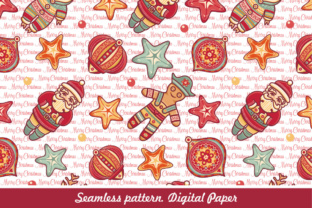
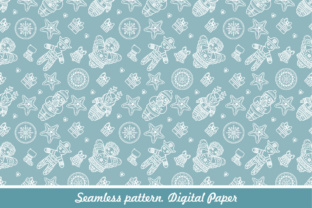
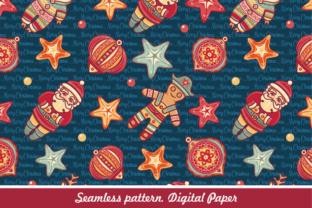
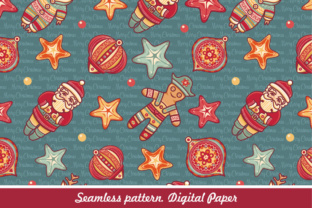
This isn’t just a static JPG you’ll stretch and blur. Winter Holiday Digital Paper: Christmas is a seamless, repeatable pattern built for flexibility—delivered in two practical formats: EPS (vector) and high-res JPG. The EPS file means you can open it in Illustrator, Affinity Designer, or CorelDRAW and adjust colors, resize infinitely without quality loss, or isolate individual elements like snowflakes or holly sprigs. The JPG gives you an instantly usable, print-ready version at 300 DPI—ideal for Canva, PowerPoint, Google Slides, or direct printing.
“Seamless pattern” isn’t jargon here—it means the design repeats edge-to-edge with no visible seams. So whether you’re tiling it across a full-page PDF brochure or filling a 48" wide banner for your café window display, it looks intentional, not patched together.
Where It Fits Into Real Workflows
People don’t buy digital paper to “have it.” They use it where time, consistency, and polish matter—and where alternatives cost more time or money.
For Small Business Owners & Shopkeepers
A local candle maker uses the EPS file to recolor the pattern from deep forest green to her brand’s signature amber, then tiles it across product labels and packaging inserts. She exports a custom-sized JPG for her Shopify store’s holiday promo banner—no designer needed. Later, she drops the same pattern into a Mailchimp template, adjusting opacity so text stays legible over the subtle holly motif. Because the file is editable, she reuses it year after year—just swapping colors to match new seasonal collections.
For Educators & Homeschoolers
A third-grade teacher prints the high-res JPG on cardstock to cut out reusable winter-themed bulletin board borders. She also imports the EPS into Canva, removes the red accents (to reduce ink usage), and adds student names inside snowflake-shaped text boxes—then exports as PDFs for personalized certificates. No hunting for clipart that matches, no mismatched fonts or tones. It’s cohesive, calm, and classroom-ready.
For Freelancers & Content Creators
A freelance social media manager builds a set of Instagram Story templates for a client’s holiday campaign. She uses the seamless pattern as a base layer, lowers its opacity to 15%, overlays clean white text and product photos—and delivers six polished, on-brand assets in under an hour. When the client asks for a version with gold accents instead of silver, she opens the EPS, selects all metallic elements, and changes the fill in seconds.
For Bloggers & Newsletter Writers
A lifestyle blogger writing about cozy winter routines uses the pattern as a subtle background in her lead magnet PDF (“10 Simple Ways to Slow Down This December”). She resizes the JPG to fit her A5 printable format, adds soft shadows to her text boxes so they pop, and exports a crisp, professional-looking download—no need to pay for a custom illustrator or wrestle with alignment in Word.
Why Format Choice Matters More Than You Think
Choosing between EPS and JPG isn’t about preference—it’s about what you’ll do next.
- You need to scale, recolor, or extract parts? Go with EPS. It’s the only way to change a single element—like turning all pinecones from brown to burgundy—without redrawing anything.
- You’re pasting into Canva, PowerPoint, or emailing a ready-to-print file? Use the high-res JPG. It loads instantly, works everywhere, and prints cleanly at standard sizes (A4, Letter, 5x7, etc.).
- You’re designing for web use (like a blog header)? Resize the JPG down to 1920px wide and compress it with Squoosh or TinyPNG—still retains detail, loads fast, and won’t trigger browser warnings about oversized images.
One note: because it’s a pattern—not a photo or illustration—the design intentionally avoids heavy detail or photorealism. That’s by design. It keeps file sizes manageable, ensures readability when overlaid with text, and lets your content—not the background—stay front and center.
What to Check Before You Download
Before adding Winter Holiday Digital Paper: Christmas to your toolkit, ask yourself three quick questions:
- Do I have software that opens EPS files? If you use Adobe Illustrator, Affinity Designer, Inkscape (free), or CorelDRAW—you’re covered. If you only use Canva or Google Docs, stick with the JPG. (Note: Canva *can* import EPS—but only if you’re on a Pro plan and convert it to an image first.)
- Will this support my output size? The JPG is delivered at 5000×5000 pixels—enough for most print jobs up to 16x16", and more than enough for web. If you’re printing a 10-foot trade show backdrop, confirm your printer accepts EPS or high-res TIFFs before assuming JPG will suffice.
- Does the color palette align with my project—or can I adapt it? The base version includes classic Christmas tones (crimson, forest green, cream, gold), but since the EPS is fully editable, you’re not locked in. You can mute it for a Scandinavian look, deepen it for a moody editorial feel, or brighten it for kids’ materials—all in minutes.
Small Details That Add Up
It’s the quiet features that make this useful day after day: the pattern tile is exactly 3000×3000 pixels (a clean number for resizing), the EPS uses named layers (so “snowflakes” or “ribbons” are easy to hide or recolor), and both files include embedded color profiles—meaning what you see on screen closely matches printed output. There’s no hidden licensing fine print: personal and commercial use is included, no attribution required, and you can use it across unlimited projects—even for client work—as long as you’re the licensed user.
No one needs another “pretty download” that sits unused in a Downloads folder. Winter Holiday Digital Paper: Christmas works because it answers specific, recurring needs: consistent branding across formats, time saved on repetitive design tweaks, and visual warmth that feels intentional—not generic. Whether you’re prepping a holiday sale banner at 9 p.m. on a Sunday or assembling a student handout before first period, it’s there—not as decoration, but as infrastructure.